
This week I implemented a new javascript framework (of course) 🧪
Well, probably not exactly a full framework, but more a minimal static site generator written with Typescript and Effect 💡

Menimal static site generator 🤏 HTML + CSS only generated from Markdown files 💁🏼♂️ No need of package.json, javascript, or whatever 🪄 Deploy HTML on @vercel with ease Show more
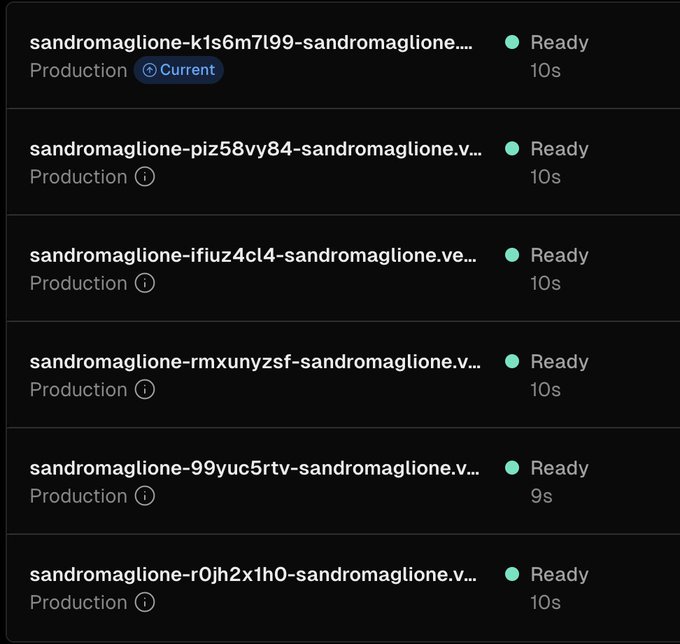
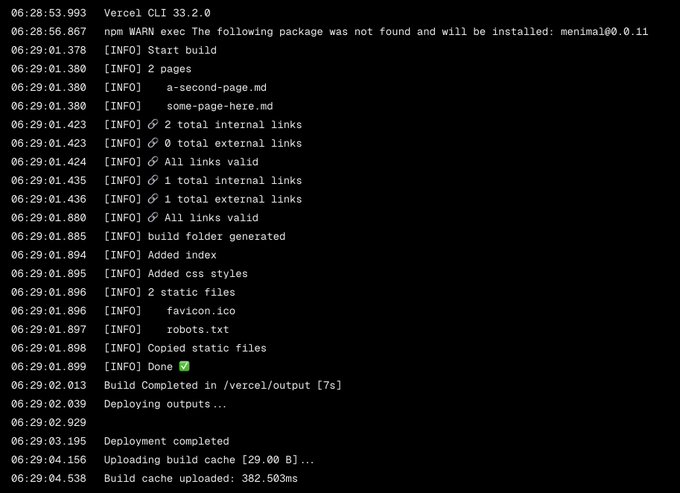
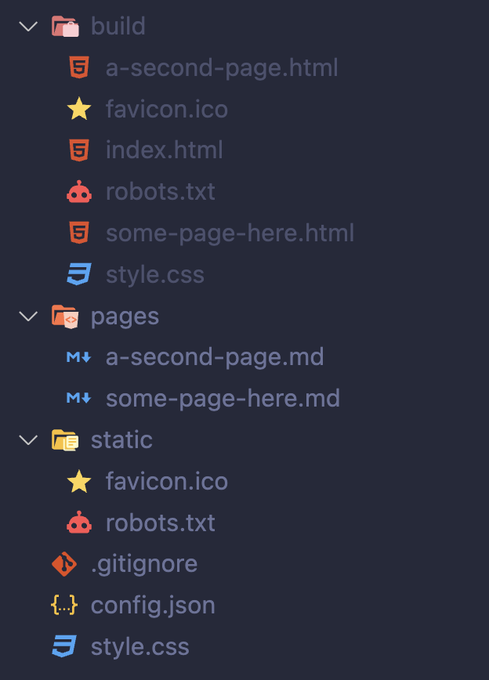
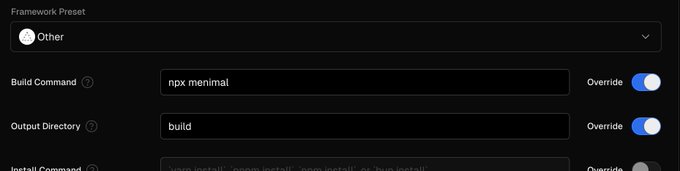


Pretty funny timing. I came across a really slick project on HN, and it's an `index.html` on @vercel 😁 To answer @deepfates question: ◆ Install our github/gitlab apps and `git push` ◆ Or `echo '<marquee>hi' > index.html && npx vercel`
It wasn't too difficult after all, this is how I did it 👇
Tech stack
- Typescript: plain Typescript, all bundled and released as a single javascript file on npm
- Effect: all services organized and managed using Effect (convert markdown to html, transform and minimize css, frontmatter, and more)
Setup
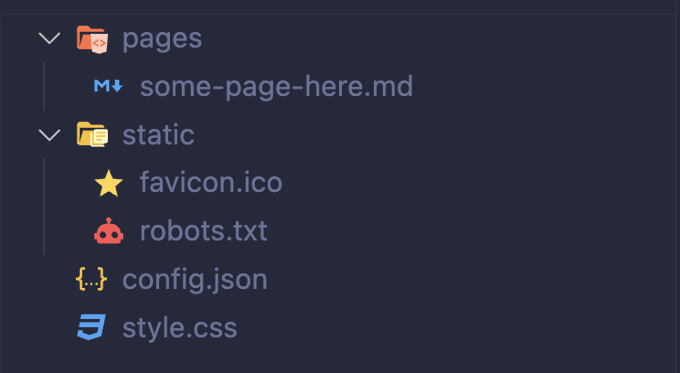
Typescript-only project, easy to configure:
package.jsontsconfig.jsonsrccontainingtsfiles- Extra configurations (if needed) and generated folders
Get started
Goal for this project: make a minimal static site generator 🤏
The key word is Minimal: the focus should be on writing content.
Zero javascript, no html, only content (
mdfiles) and styling (css) ☝️
Sounds easy? Well, not exactly 😅
During the implementation many interesting ideas come to mind. It's not always easy to stop adding features 💁🏼♂️
I managed well at the end 👇
Implementation
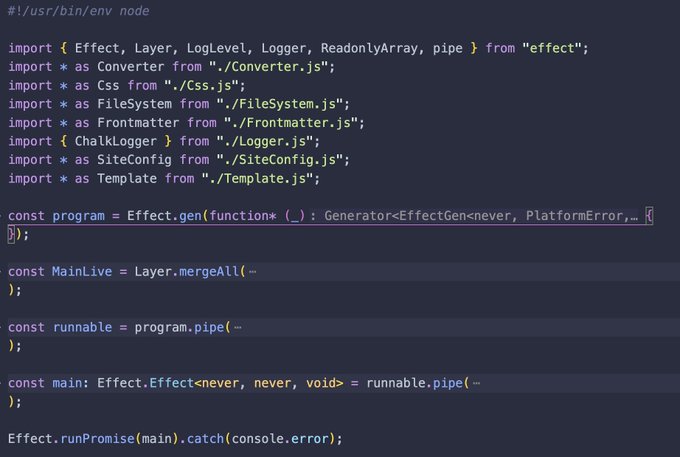
Effect is awesome for writing executable scripts 🔥
- Implement each feature in a separate service
- Connect all the services in the entry file
- Provide dependencies, handle errors, run the app
#!/usr/bin/env node

const program = Effect.gen(function* (_) {
  /// 1️⃣ Use all the services to implement the final program
});

const MainLive = Layer.mergeAll(
  /// 2️⃣ Collect and provide all dependencies (services implementation)
);

const runnable = program.pipe(
  Effect.provide(MainLive)
);

const main: Effect.Effect<never, never, void> = runnable.pipe(
  Effect.catchTags({
    /// 3️⃣ Handle all possible errors (logging)
  })
);

/// 4️⃣ Run the final app
Effect.runPromise(main).catch(console.error);
All the details of the implementation are defined in separate files 👇
How to generate static sites
The idea is simple:
- Write all the content in markdown files (
md) - Read all the files as
string - Convert markdown to html
Done 💁🏼♂️
I then added some convenient features:
- static files (
robots.txt,favicon.ico) - Styling (single
style.cssfile) - Frontmatter
- Check valid links
This is all handled at build time, no javascript in the final website ⏱️
Don't reinvent the wheel
There is a library for everything (especially in javascript 😅)
I didn't implement any parsing, converter, validator, or anything:
"dependencies": {
  "@effect/platform": "^0.43.7",
  "@effect/platform-node": "^0.42.7",
  "@effect/schema": "^0.61.5",
  "effect": "^2.2.3",
  "chalk": "^4.1.2", // 🗳️ Logging
  "gray-matter": "^4.0.3", // 📁 Frontmatter
  "html-minifier": "^4.0.0", // 🤏 Minify html
  "lightningcss": "^1.23.0", // 🤏 Transform css
  "mustache": "^4.2.0", // 🏗️ HTML templates
  "node-html-parser": "^6.1.12", // 🧱 Validate links
  "showdown": "^2.1.0" // 👷 Markdown to HTML
}
These dependencies do the heavy lifting. Effect collects and organizes all together:
const program = Effect.gen(function* (_) {
  const fileSystem = yield* _(FileSystem.FileSystem);
  const css = yield* _(Css.Css);
  const template = yield* _(Template.Template);
  const converter = yield* _(Converter.Converter);
  const siteConfig = yield* _(SiteConfig.SiteConfig);
  const linkCheck = yield* _(LinkCheck.LinkCheck);

  yield* _(Effect.logInfo("Start build"));
  /// Do the work 🏗️
Publish library on npm
Last step: bundle everything and publish npx executable script 🚀
💡 Project update 💡 I published a npx script made with @EffectTS_ 🔥 Entry file that runs Effect ✅ FileSystem ✅ Logging ✅ Static site generator All the details coming next week 🔜
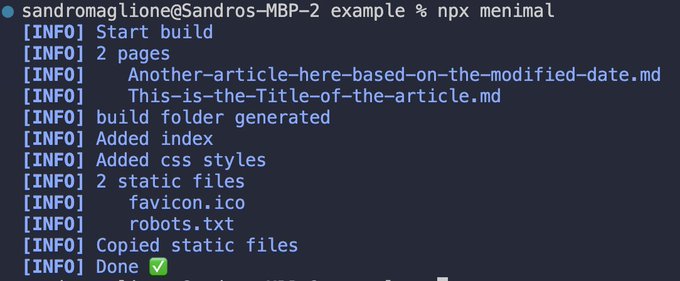
I used tsup. This was easy as well, just run a single tsup command:
"scripts": {
  "tsc": "tsc -p tsconfig.json",
  "dev": "tsx src/bin.ts",
  "bundle": "tsup && tsx scripts/copy-templates.ts",
  "upload": "pnpm bundle && npm publish"
}Note: The hard part was finding the right libraries, make them work well together, and handle all the configuration 🤔
I wrote a complete step-by-step article on how to bundle and publish an npx command on npm.
This is not always easy, but the result is super satisfying 🔥
Takeaways
- You can build anything: it's all about managing complexity and use the right tools 🛠️
- No need to be complicated: there is probably a library out there that already solved the same problem
- Effect is the ultimate meta-library: ideal to manage and organize all dependencies in any app
- Going minimal pays off: start with the basics, then add features later if necessary
You can read the full code on the open source repository 👇
I plan to add more features as needed in the future (and share all the progress of course 💡)
See you next 👋